







THE HEADLESS SHOPIFY SPRINT · SEP 7–10
Design and build a professional ecommerce site. In 4 days.
A hands-on sprint for designers and builders who've already tinkered with AI. You design the store and direct the build — Shopify runs payments, inventory and checkout.


Why this sprint
The project you keep turning down.
A client asks whether you can build them a store.
You can design it. That was never the question.
But who handles payments? What about inventory, tax, refunds? Who fixes it when an order fails at 2am?
So you pass. Or hand it to someone else. Or talk them into a template you don't love.
Headless Shopify changes the answer. You build the front end — the part you're already good at. Shopify runs payments, checkout, inventory and orders, and your client manages the shop from an admin they can actually use.
That's this sprint. Four days. A real store. A real handoff.
Why now
Headless was always the right answer. It was just too expensive.
When a client wants a store, you have had three options. Two of them make you give up half of what you need — and the third has been out of reach on almost every budget.
Option 1
A Shopify theme
Strong commerce, boxed-in design
The commerce engine is excellent. You just design inside whatever the theme allows.
Every real customization turns into a workaround, and “can we move that section?” becomes a billable afternoon.
Option 2
Ecommerce in Webflow, or similar
Full design control, weak commerce
You build exactly what you pitched, on a platform you already know inside out.
Then the commerce side runs out of road — thin inventory and variant handling, no real subscriptions, and a short list of integrations for the client to grow into.
Option 3
Headless Shopify
Both halves — at developer prices
Your front end, Shopify's commerce engine. Nothing given up on either side.
It has been the best way to build a serious store for years. It also took a development team — which is why most businesses never got offered it.
What changed
AI didn't invent headless commerce. It removed the reason you couldn't offer it.
The cost was never the idea — it was the development hours. A designer with the right training can now build and maintain a fully custom headless store on their own, and charge a price a real client will actually pay.
Easy for you
Build whatever the client actually wants, instead of talking them down to what the platform allows.
Easy for them
Run the business from the Shopify dashboard — products, orders, inventory — without needing you for any of it.
The outcome
By day 4, you'll have

A Live Store You Built
A demo store, deployed and working end to end

A Design Nobody Compromised
You set the brief, the agent built it. No theme deciding your layout.

A Client Who Can Run It
They manage products and orders themselves. You stop being support.

A Service You Can Sell
Ecommerce projects you quote yourself — not ones you pass along
Julian Galluzzo
Webflow expert turned AI builder.
Julian spent years building his reputation in the Webflow world. Then AI changed what one designer could realistically ship, and he went all in — enterprise marketing sites, web apps, desktop apps, mobile apps, and plenty beyond that.
He thinks AI is the best thing to happen to designers in years. Not as a theory to argue about online — as real work you can build, hand over, and start selling.


How the sprint works
- When
- Four consecutive days, Monday September 7 through Thursday September 10.
- Each morning
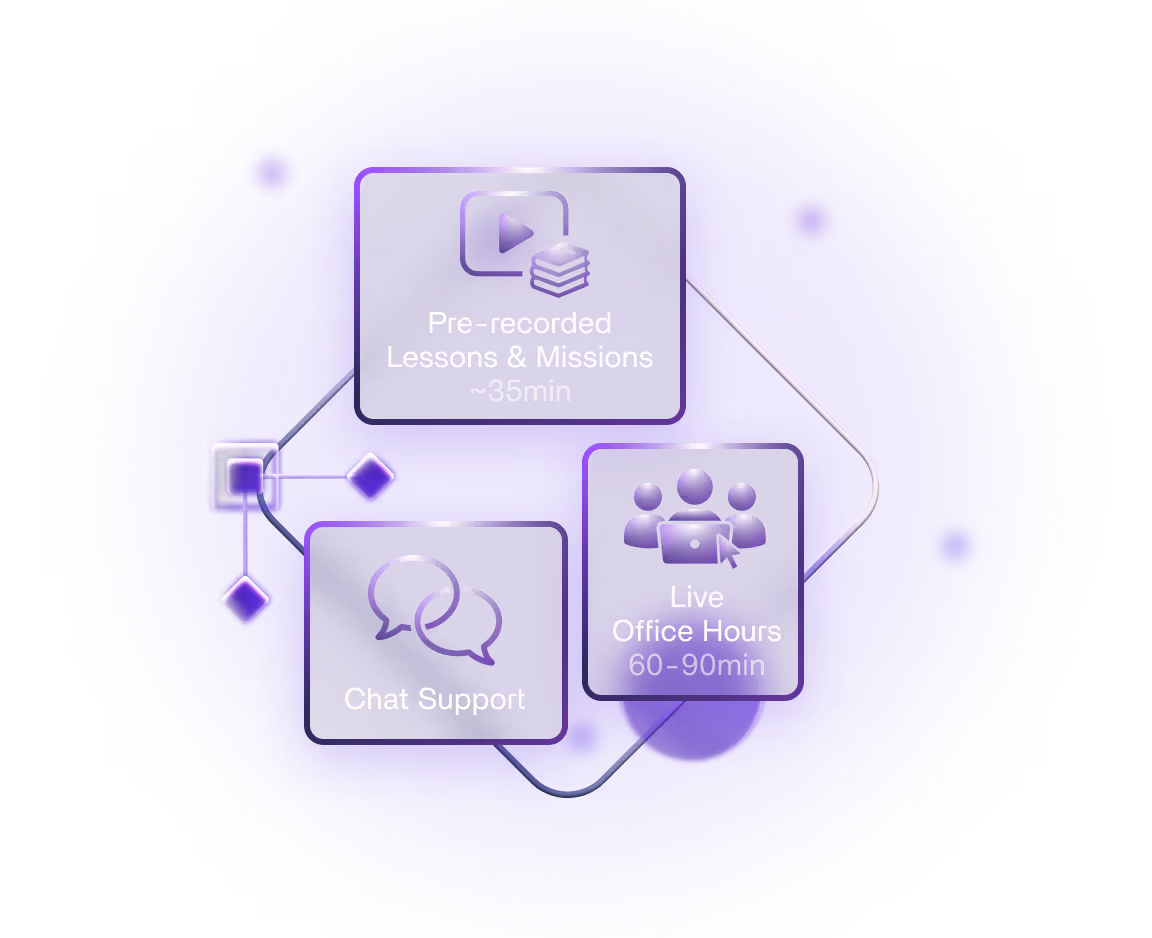
- A focused pre-recorded lesson, around 35 minutes, with the day's mission.
- Each afternoon
- Live office hours with Julian. 60 to 90 minutes, open format: ask questions and get unstuck. 6pm CEST / 12pm EDT / 9am PDT.
- Support
- Chat community open all week, moderated through the weekend.
- Time needed
- 1 to 3 hours per day covers the lesson, the build and the live session.
The stack you'll use
5 tools, no more
 Claude CodeWrites the code, with you directing it
 Next.jsThe storefront you design and own
 ShopifyProducts, inventory, checkout, orders
 GitHubVersion control, so nothing gets lost
 VercelDeploys the store, live on the internet

What You'll Need
A bit of AI tinkering
You don't need to have finished anything with AI — but you should have opened something like Claude Code or Cursor and had a real go. Day 1 starts with the brief and project setup, not with tool installation, and a short setup video gets your environment ready before Monday.
It isn't a sprint for expert developers either — most of the room won't be. But if "what's Claude Code?" is a genuine question, start with the AI site building sprint and come back to this one.
- Claude Pro — ~$20/mo. Required — it's what runs Claude Code.
- A Shopify account — A free Shopify Partners development store covers the whole sprint. You only need a paid plan once a store takes real money.
- Node, GitHub, Vercel — All free on the tiers we use.
- Figma — optional — Day 1 designs from a brief, and Day 2 builds it in code. Bring your own Figma file to work from instead if you'd rather.
The workflow also works with Codex or Gemini, but every session and demo uses Claude Code.
The sprint, day by day
DAY 1 · MON SEP 7:
The Brief And Project Setup
Julian kicks off live: what headless actually means, when it's the right call for a client, and what you're about to build.
Then the part everybody skips. An agent is only as good as the context you hand it, so before any code exists you decide what you actually want. Watch Julian design a storefront from a mock client brief — then use his prompt to write your own. Take the demo client, or a real project sitting in your pipeline.
You'll set the project up and load the brief and documentation into it, so Tuesday starts with an agent that already knows the job.
A short setup video covers tools and environment, so you arrive configured rather than spending Day 1 installing things.
Office hours: Monday, September 7 · 6pm CEST / 12pm EDT / 9am PDT
By end of day: A brief, a design direction, and a project that holds both.
DAY 2 · TUE SEP 8:
Build The Storefront
Build day. You direct, the agent writes — working from the documentation you loaded yesterday rather than from a one-line prompt and a hope.
What comes out is not a Figma file that still needs building. It is working code: your design, fully responsive, running in the browser.
Most of the day is the loop that actually matters — read what came back, judge it on desktop and on a phone, send it back sharper. The brief keeps the agent honest. Your eye is what makes it good.
By the end you have the whole storefront. Everything except the commerce.
Office hours: Tuesday, September 8 · 6pm CEST / 12pm EDT / 9am PDT
By end of day: A responsive storefront in code, waiting for products.
DAY 3 · WED SEP 9:
Add Shopify
Both halves of Shopify in one day. Stand the store up through the Shopify CLI — products, variants, collections, shipping — with the agent doing the setup instead of you clicking through settings screens. What you end up with is the admin a client should actually receive, not a throwaway test store.
Then connect it: real products, prices and inventory flowing into the design you built on Day 2, and a working cart. Change a price in the admin and watch it change on the storefront — that moment is the whole argument for building this way.
Checkout hands off to Shopify — the one part you never want to build yourself, and the reason payments and taxes stay somebody else's problem.
Office hours: Wednesday, September 9 · 6pm CEST / 12pm EDT / 9am PDT
By end of day: Live product data in your design, and a working cart.
DAY 4 · THU SEP 10:
Launch and Handoff
Test the whole path — browse, add to cart, check out, on desktop and mobile. Then push it live and connect a custom domain.
And the part most tutorials skip entirely: onboarding the client. What to show them, what to write down, and what to hand over so they can run the store without calling you.
Office hours: Thursday, September 10 · 6pm CEST / 12pm EDT / 9am PDT
By end of day: A deployed store, and the handover process to go with it.
Support Continues over the weekend
Friday September 11 through Sunday September 13
The chat platform stays open and moderated through the weekend. Catch up, polish, or go deeper at your own pace.
What you'll build
Over the 4 days you'll design, build and deploy a headless storefront — your front end, Shopify's commerce engine. A working cart, Shopify checkout, live on the internet.
You'll build it as a demo store from a client brief, so nobody needs a real client to take part. Everything else is exactly how you'd do it for one — which is the point. It becomes a portfolio piece, and a service you can quote.


 Studio Goods · AdminClay Teapot12 in stock$88Botanical Soap40 in stock$16Hairpin Stool3 in stock$210
Is this sprint for you?
- You've tinkered with AI coding, and you want ecommerce in what you sell
- You've turned down store projects — or handed them off — because the commerce side felt like someone else's job
- You want to quote ecommerce work without lying awake about payments, tax, or who maintains it
- You want a build you can charge properly for — not another demo to watch
What students say about Flux sprints
From our most recent AI Web Design Sprint cohort — same format, same instructor, same office hours.
The confidence boost provided by the instructor (Julian) eliminated the hesitation and intimidation that I faced after opening the terminal. I really liked the crisp sprint aspect of the course; each lesson was to the point and focused on the important stuff. Also, Office Hours were great for Q&A, providing solutions, and brainstorming approaches.

Thanks so much for such a great experience, this sprint was amazing. Just finished the project, and it’s officially my second website that I’ve ever made! Such a great feeling to make something like this without any previous experience. It’s good to see that there’s more options nowadays how to create something amazing. Definitely gonna experiment more in the future!

The sprint helped mitigate most of the development environment blockers that come with vibe coding, especially from a designer's perspective.

Thanks so much for the amazing AI sprint, man. It has been so eye-opening and rewarding. As someone who’s built his entire business on Webflow, I feel so empowered to be able to tap this dev potential beyond Webflow.

A massive thank you to Julian! This sprint has been eye-opening.

I learned a ton from Julian! Using Claude and Cursor to build the project in Next.js was a game-changer, and it's something I'll definitely be adding to my workflow. I also had no idea about Sanity or hosting on Vercel before this. I'm really glad to have those tools in my toolkit now. Hoping to learn more from Julian in the future!

Get First Access
The sprint runs September 7–10. Enrollment isn't open yet — leave your details and you'll be the first to know when it is, before we announce it anywhere else.
Frequently asked questions
Everything you need to know about The Headless Shopify Sprint
A little. If you've opened up Claude Code or Cursor and tinkered — even if you never finished what you started — you'll be fine. You don't need to write code unaided, and you don't need to have shipped anything.
What the sprint doesn't do is start from zero. Day 1 begins with the brief and project setup rather than with tool installation, and a short setup video handles tools and environment beforehand. If you've genuinely never heard of Claude Code, you'd spend the week catching up instead of building — join the waitlist for the next AI site building sprint, and this one will make far more sense afterwards.
It's also not a sprint for expert developers. Most of the room will be designers who've dabbled and want to go further.
Normally Shopify runs both halves of a store: the shop front customers see, and the admin the owner logs into. A theme controls the first half.
Headless splits the two. You build the front end yourself, so it looks and behaves exactly as you designed it. Shopify keeps doing the parts you don't want to be responsible for — products, inventory, payments, checkout, tax — and your client still gets the standard admin they'd have had anyway.
In practice that means you can take on a store without taking on the risk that usually comes with one.
Day 1, and it takes the whole day. You'll work from a client brief — Julian designs a storefront live from a mock one, then hands you the prompt to write your own — and turn it into a direction specific enough for an agent to build against.
That's the real skill here. Agents rarely fail because they can't write the code; they fail because nobody told them what good looks like. Day 2 is where the brief becomes working, responsive code, and you're directing it the whole way.
The main cost is a Claude Pro subscription (~$20/m), which is required to use Claude Code.
Shopify is free for the sprint: a Shopify Partners development store costs nothing and has no time limit. You only need a paid Shopify plan when a store starts taking real orders. Everything else (Node, GitHub, Vercel) is free on the tiers we use.
No. Day 1 is design, but it happens as a brief and a direction rather than as artboards — and Day 2 turns that straight into code. If you'd rather start from something you've already drawn in Figma, bring it and build from that instead.
Neither. Day 1 gives you a mock client brief to work from — or you can swap in a real project if you have one waiting. Then on Day 3 you'll spin up a fresh development store through the Shopify CLI and stock it with sample products, so everyone builds something real without needing a live business behind it, and the agent handles the setup work rather than you clicking through settings screens.
If you do have a client project in mind, you can use their products instead — and a Partners development store can be transferred to the client later when they're ready to go live.
All sessions are recorded and available right after they end. The chat platform runs Monday through Sunday, so if you need to catch up over the weekend, support will still be there.
1 to 3 hours per day covers the lesson, the build and the live session. The sprint runs four consecutive days, Monday September 7 through Thursday September 10, and support continues through the weekend if you need to catch up.
A working headless storefront: a front end you designed in code, pulling products, prices and inventory from Shopify, with a functioning cart and Shopify's own checkout handling payment.
It's a demo store with sample products — you don't need a client to take part — but it's built exactly the way a client project would be, and deployed live by the end. Use it as a portfolio piece, or as the template for the first one you sell.
That's the point of building it this way. Products, prices, inventory, orders, discounts and shipping all live in the standard Shopify admin, so anything a store owner normally does day to day, they do without touching code or calling you.
What still needs you is design and layout changes to the front end — which is the work you'd want to be paid for anyway. Day 4 covers what to document and hand over so the line between the two is clear from the start.
The workflow we teach works with other providers like Codex or Gemini, but all demos use Claude Code. If you prefer a different tool, you can still use the same framework but will have to install the CLI on your own (we will include links to 3rd party tutorials)
Yes. Lifetime access to all lessons and office hour recordings is included.
If you're not satisfied by the end of Day 2, reach out and we'll refund you in full. No questions asked.

Start saying yes to ecommerce work
You can already build the site. The commerce part is the bit that has been stopping you — and it is the bit Shopify has already solved.
Four days, September 7–10. Long enough to build a real store, and to find out how it feels to quote the next one with confidence.